Software Installation
This page explains how to install LabStreamService and prepare it for the first launch.
After installation, continue to the Quick Start Guide to open the platform and begin your first experiment setup.
1. System Requirements
- Operating System: Windows 10 (64-bit) or Windows 11 (64-bit)
- Permissions: Administrator privileges are required for installation and first-run setup
Installation Video
If the video cannot play, watch it directly: Bilibili - LabStream
2. Download and install LabStreamServiceSetup.msi
Download LabStreamServiceSetup.msi
After the download completes, double-click LabStreamServiceSetup.msi to start the installer.
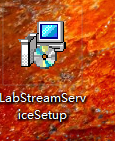
3. Keep the default settings and finish installation
Keep the default settings during installation, then click Next until the installer completes.
4. Run LabStreamService
After the installation completes, run LabStreamService.
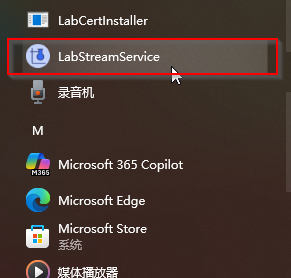
Wait for the system to finish starting, then log in to the experiment platform and continue with configuration.
5. Install the certificate if the local server is unavailable (optional)
After installation and launch, install the certificate only if the LabStreamService local server is not available.
Find LabCertInstaller in the program menu and run it with administrator privileges to complete the installation.
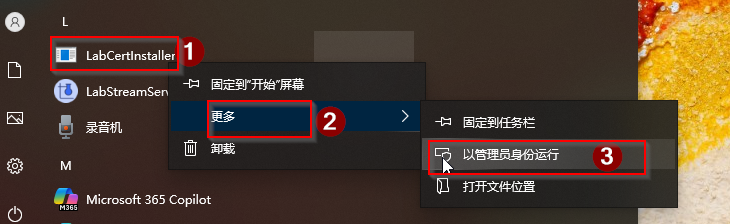
Important: You only need to install the certificate once, and only if the local server is unavailable after launch. You do not need to repeat this step later.
Next Step
Once the software is installed and running, go to the Quick Start Guide to continue with device, chart, and experiment setup.