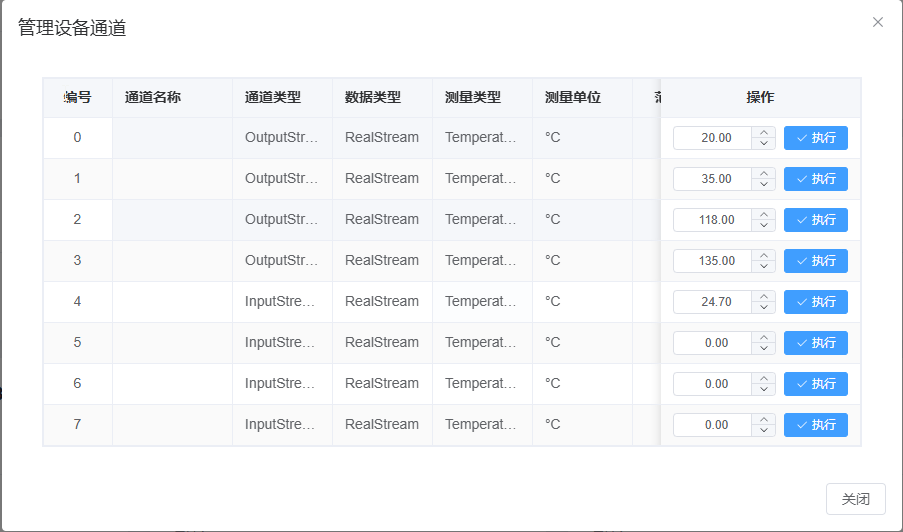
In standard heating control mode, LabStream expands the device into 8 logical channels: the first 4 channels are the SV (set value) for each physical channel, and the last 4 are the corresponding PV (process value).
When two physical channels are grouped and configured for heat-cooling control, LabStream expands the device into 4 logical channels: the first 2 are grouped-channel SV values and the last 2 are the corresponding PV values.
Mixed configuration is not supported. For example, channels 1/2 cannot run in heat-cooling mode while channels 3/4 remain independent. LabStream detects this mismatch and reports an error.
Configuration
You can configure the device with Autonics DAQ Master. If you use it, review the vendor instructions carefully.
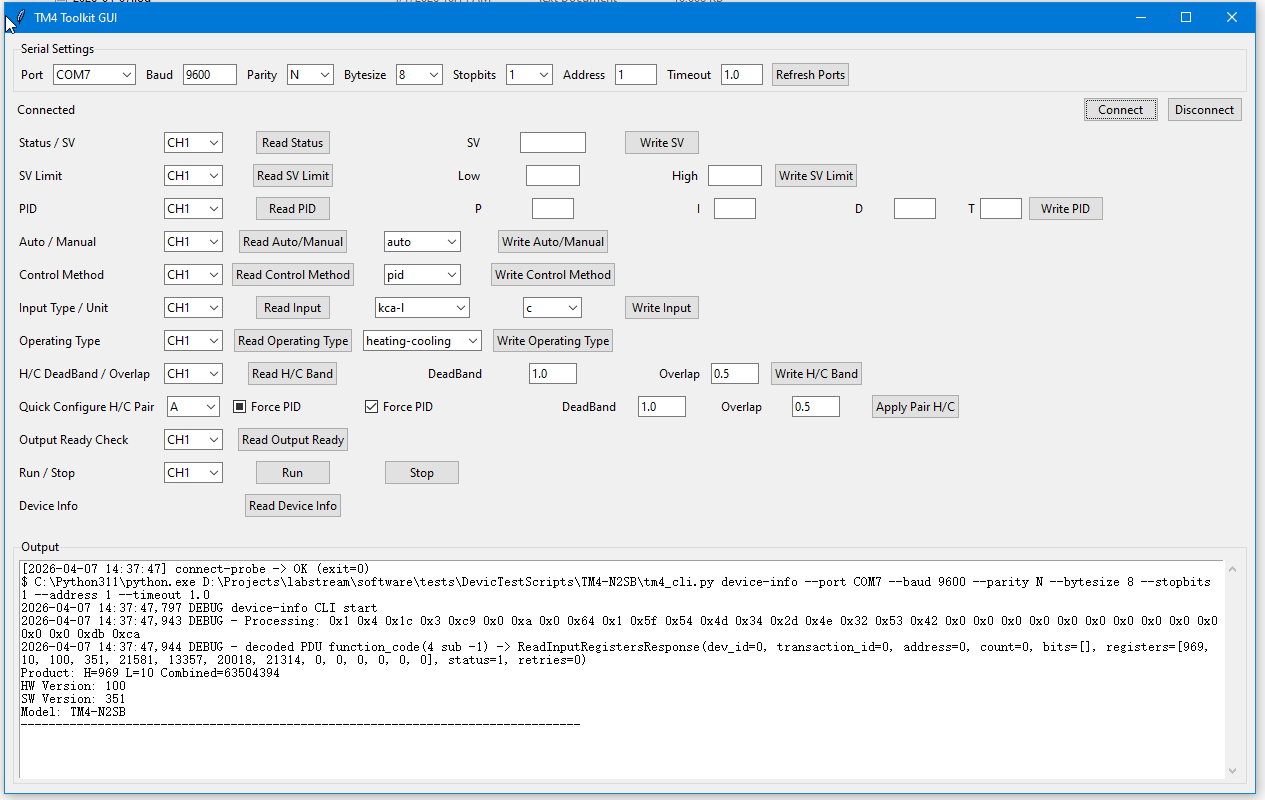
To simplify setup, you can also use the provided open-source tool for TM4 series configuration.
Select the correct serial port, enter the communication parameters, and click Connect.
If the output window shows hardware version, software version, and model information, the connection is successful.
Confirm these settings carefully:
Set Auto/Manual to Auto.
Match Input Type/Unit to the actual temperature sensor.
Set Operation Type to the required control mode. If you use Heat-Cooling, both paired channels must be configured as Heat-Cooling.
Set Control Method as needed; PID is recommended, with PID parameters configured for the process.
For Heat-Cooling channel groups, also configure H/C DeadBand.
Communication Configuration
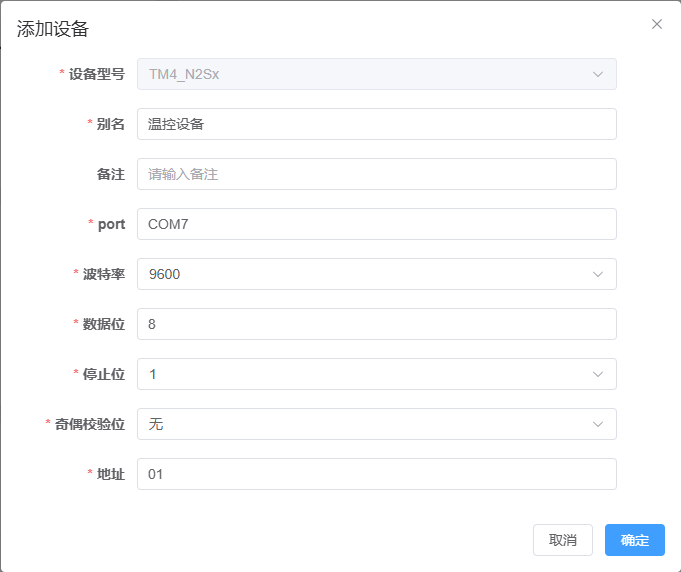
After setting address, baud rate, and other communication parameters on the device, use the same values when adding the device in LabStream.
Channel View in LabStream
After the device is added successfully, LabStream shows the physical channels expanded into logical channels.
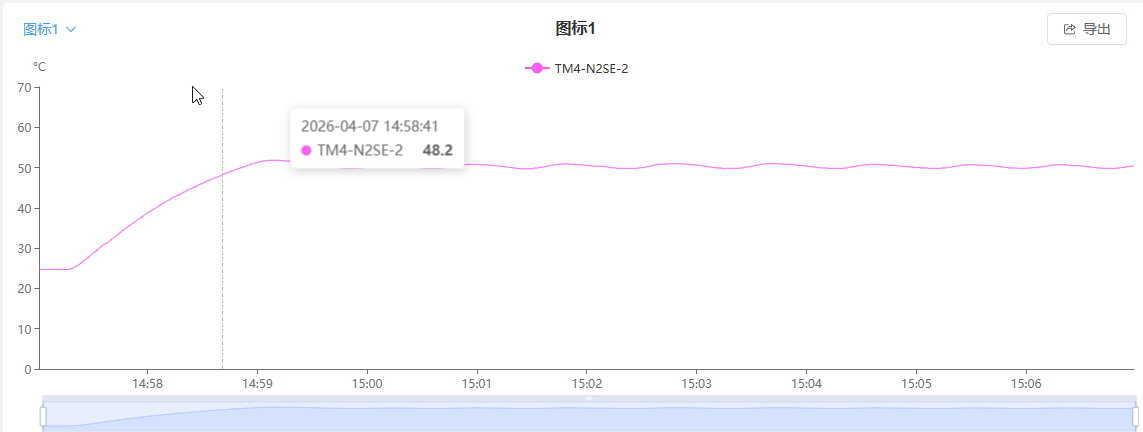
During an experiment, add SV channels to the controller and add the corresponding PV channels to charts for monitoring.
Wiring
Wire the temperature sensors, power supply, and other peripheral equipment according to the vendor pinout.
Use proper grounding and shielding to reduce noise.
Take appropriate precautions when working with high-voltage wiring.
Disconnect power after the experiment is complete.